A new feature has appeared in the 2GIS application - pedestrian navigation with elements of augmented reality (AR), which helps to quickly navigate inside large shopping centers.
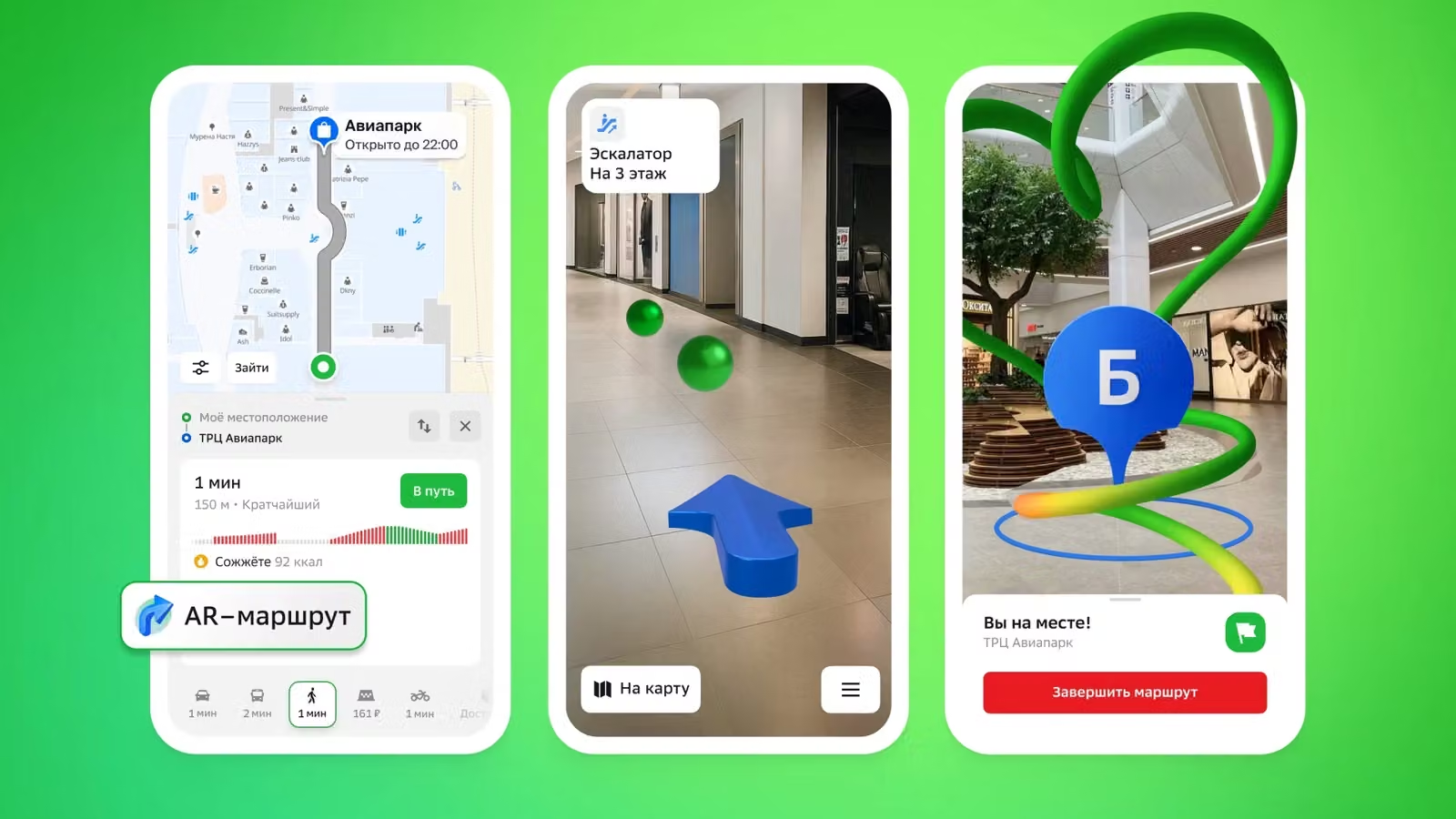
To use AR navigation, simply build a route that starts or ends in the shopping center, for example, from the parking lot to the store. When entering the building, you need to activate the AR route and point the smartphone camera at the nearest signs.
The application determines the user's current location and overlays a blue arrow on the image, indicating the direction of movement. Additionally, green labels appear, visualizing the trajectory of the route, showing where to turn, go down the escalator, or go to the desired point.
The function is useful for quickly finding stores, cafes, pharmacies, orienting to parking or meeting friends who entered through another entrance. An internet connection is sufficient for AR navigation to work; GPS and other geolocation systems inside buildings are not required.
At the start, AR navigation is available in Moscow and St. Petersburg. In the capital, you can test it in the Aviapark, Afimall City and European shopping centers, and in St. Petersburg - in the Gallery. In the future, 2GIS plans to connect new shopping centers in other cities.
Read more materials on the topic:
- 2GIS Introduces Hyper-Detailed Roads for Cars with Apple CarPlay and Android Auto
- 2GIS Adds Support for Quick Commands with AI Features for iPhone Users
- 2GIS Launches "Linza" Service for Automatic Shooting and Analysis of Urban Areas
Never miss our newsAdd this site to your preferred sources to see us more oftenAdd on Google