Translated with AI from the Russian original.
Yandex Navigator and Yandex Maps have improved maps of road interchanges, bridges, and tunnels in 50 Russian cities. Now, in navigation mode, you can see detailed markings and levels of interchanges. This update will make it easier for drivers to find the right exit and plan turns.
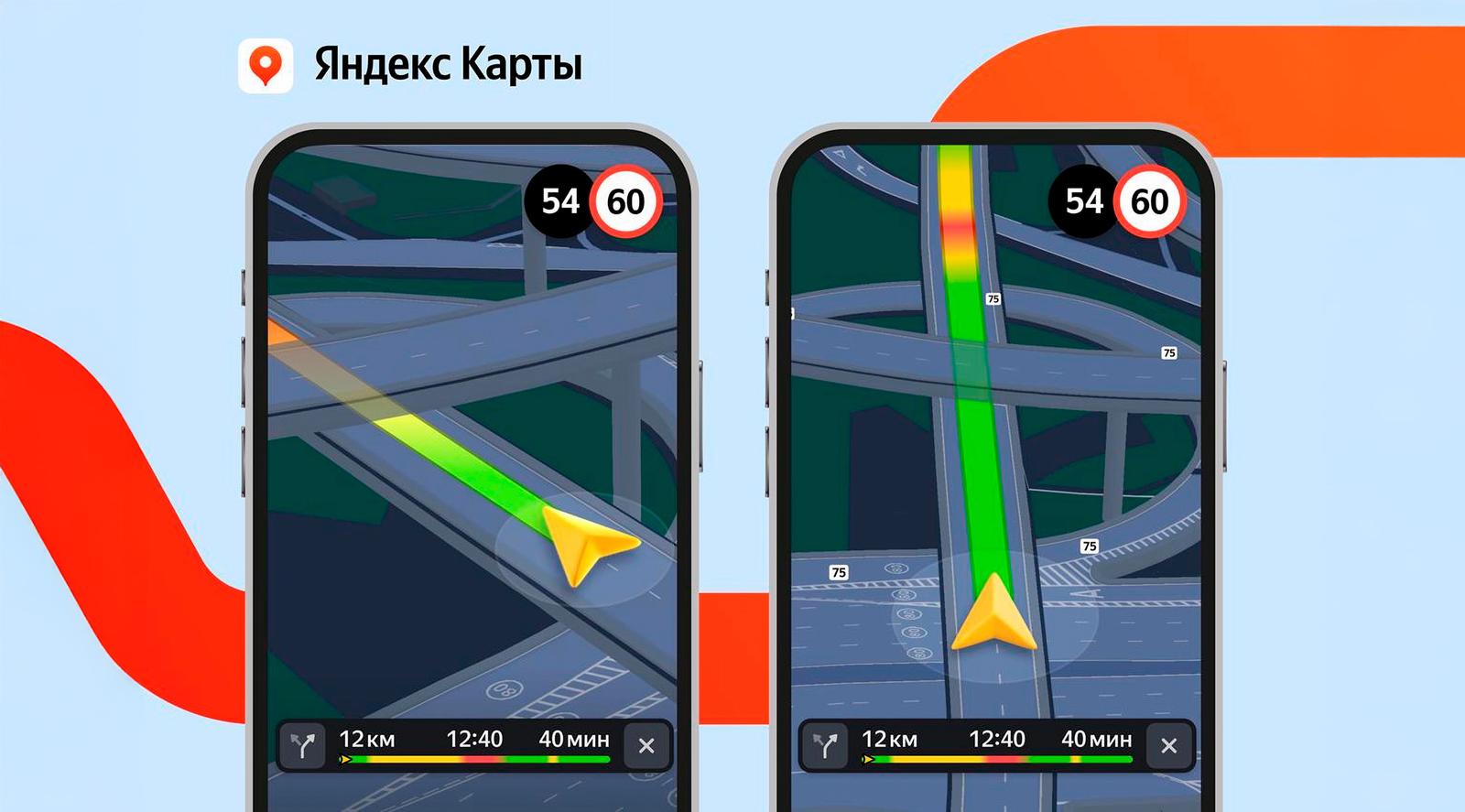
To explore a complex interchange in detail, simply open Navigator or enter navigation mode in Maps. On each level of the interchange, you can see the markings that will tell you where to turn. Tunnels have also become three-dimensional - now it is easier for the driver to understand where they begin.
Navigator and Maps will guide users to the correct lane, taking into account the features of the interchange. As you approach a complex section, the interface will adapt: first, the application will show the interchange or entrance to the tunnel, and then zoom in so that you don't miss the turn and choose the correct lane.
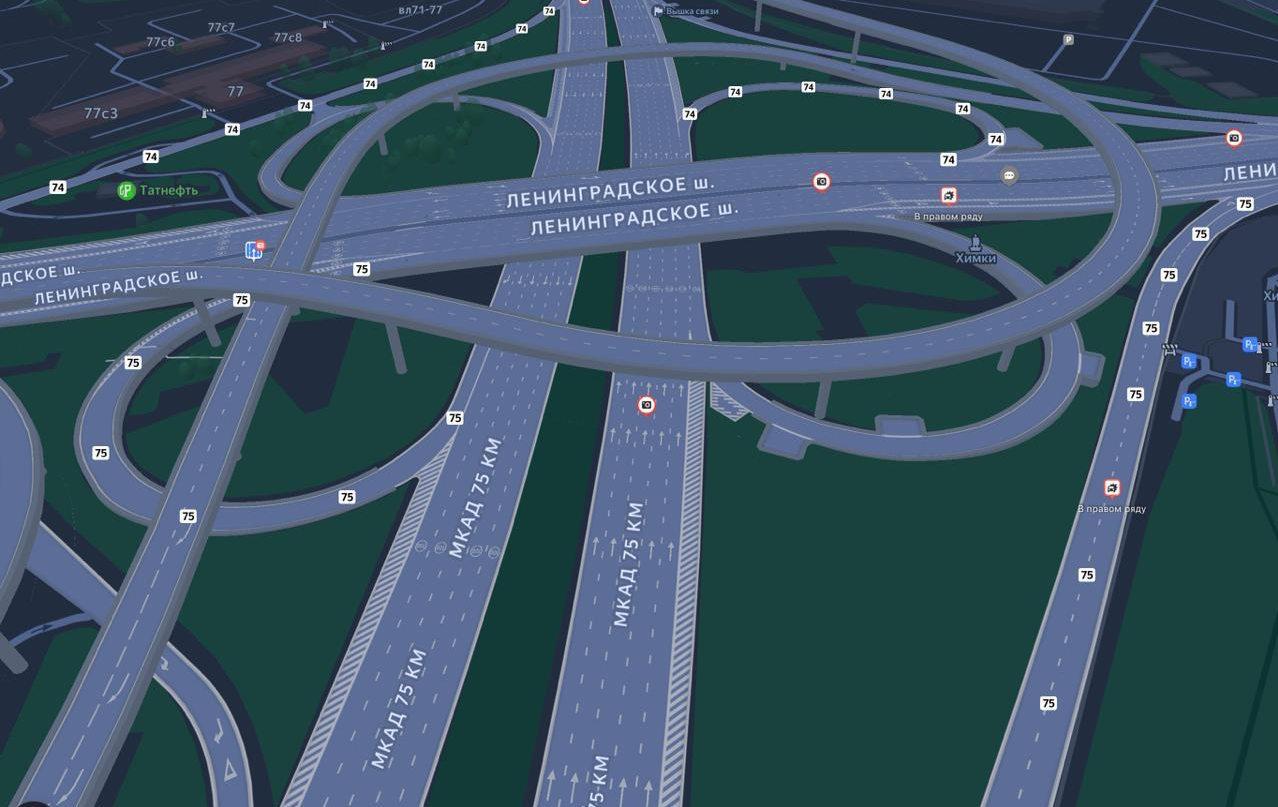
To give interchanges and bridges volume, Yandex Maps cartographers first mark their height. Then, the map drawing technology determines how to display the curve of the roadway in the direction of travel. It also creates supports and distributes them along the length of the bridge.
Detailed interchanges are available in Yandex Navigator and in navigation mode in Yandex Maps on all devices. Over time, there will be more of these interchanges - they will appear in other cities in Russia as well.
Earlier, Yandex Maps addedmore than a million points to complete the route in major cities in Russia. Now the service helps drivers conveniently park or find a place to drop off passengers.
Read materials on the topic:
Yandex Maps began to show the cost of travel on toll roads
Yandex Maps facilitate movement: routes without stairs for strollers and suitcases
Panoramas for 400+ objects in populated areas have appeared in Yandex Maps
Parking for Yandex Maps users in Moscow has become easier
Never miss our newsAdd this site to your preferred sources to see us more oftenAdd on Google